Shooting Games



About Shooting Games
Shooting Games test your aim, your movement and how well you manage limited ammunition when enemies close in. Some are arena battles that grow harder with every wave, others are side-scrolling escapes or open-world missions. This category collects titles where a steady hand and good positioning keep you alive.
What Shooting Games Ask From You
Every title in Shooting Games combines three skills: aiming accurately, moving to safe positions and deciding when to fire. Aiming gets the most attention, but positioning often matters more. A player standing in the open with perfect aim still loses to several enemies at once, while a player using cover can handle the same group with average aim.
The third skill, deciding when to fire, becomes important once ammunition is limited. Wasting shots on easy targets can leave you empty-handed when a dangerous enemy appears.
Styles of Shooters in the Catalog
The current selection covers several formats.
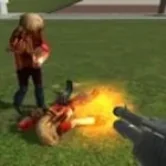
- Wave survival: Dmod sends growing waves of enemies into an arena until you are overrun.
- Tactical encounters: Dead Check Private Page focuses on weapon handling, recoil and police response.
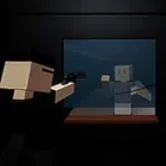
- Side-scrolling escapes: Syahata a Bad Day mixes a pistol, a rifle and a melee stick with tight ammunition.
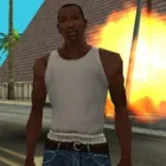
- Open-world missions: GTA San Andreas and GTA 4 combine gunfights with driving and story.
Each one changes the balance between aim, movement and resource management.
Positioning Over Precision
Where you stand decides how many enemies can reach you at once. In arena Shooting Games, corners feel safe early but turn into traps when enemies spawn from several directions. In tactical titles, staying in one spot lets reinforcements flank you. Moving between positions keeps your options open.
- Keep an escape route behind you at all times.
- Use walls and objects to limit the angles enemies can attack from.
- Change position after a fight instead of waiting in the same place.
- Watch the edges of the screen where new threats appear first.
Good positioning makes average aim effective, and poor positioning makes great aim irrelevant.
Weapon Choice and Recoil
Different weapons behave differently, and learning their rhythm is part of the challenge. Automatic weapons fire quickly but kick upward, semi-automatic ones fire one shot per press and stay steady, and heavy weapons deal more damage with longer delays. In Dead Check Private Page, an update changed fire modes and recoil on several weapons, which is a good reminder to retest your favorites after changes.
Short controlled bursts usually beat holding the trigger. They keep the crosshair near the target and save ammunition for the next encounter. Switching to a sidearm when the main weapon runs dry is often faster than reloading in the middle of a fight.
Managing Ammunition
Limited ammunition turns Shooting Games into small puzzles. Every bullet spent on a weak enemy is one you will not have for a boss. Many titles provide a melee option for exactly this reason: slower and riskier, but unlimited. Using it against easy targets keeps your ranged weapons ready for real threats.
Syahata a Bad Day is a clear example. Players who rely on the stick early usually reach the bosses with enough ammunition, while those who fire at everything often get stuck at the second boss.
Enemy Types and Patterns
Enemies in Shooting Games rarely behave the same way. Some rush straight at you, some keep their distance and others move in patterns that make them harder to hit. Learning which type demands priority is essential: fast attackers should usually be dealt with first, while slow ones can wait.
Police and reinforcement systems add another layer. In some titles the response grows the longer a fight lasts, so ending encounters quickly or leaving the area can be smarter than fighting every wave.
Controls and Sensitivity
Most browser Shooting Games use WASD for movement and the mouse for aiming, with number keys or the scroll wheel for weapon selection. If aiming feels too fast or too slow, look for a sensitivity option in the settings. Fullscreen mode helps by giving a wider field of view and preventing the cursor from leaving the game area. Each title on Gamezento lists its main controls in the description.
In all Shooting Games, clicking inside the play area before starting ensures the mouse and keyboard input go to the right place.
Tracking Your Improvement
Many Shooting Games display statistics such as kills, shots fired or waves survived. These numbers are useful feedback. A high number of shots with few hits suggests you need better control, while a low wave count points to positioning problems. Comparing results across sessions shows exactly where you are improving.
New Shooting Games are added as the catalog expands, from arcade waves to story-driven missions. Pick a style, learn the weapons and see how long you can hold your ground.